Classes and Objects in C++
Table of Contents
- What is a Class?
- What is an Object?
- Class Members: Attributes and Member Functions
- Access Specifiers
- Creating Objects of a Class
- Summary
1. What is a Class?
A class is a user-defined blueprint or template for creating objects. It defines a data structure that bundles data (attributes) and functions (methods) that operate on that data together.
Real-World Example: Car
Think of a class as a blueprint for a car. The blueprint defines:
- Properties: color, brand, model, speed, fuel level
- Behaviors: start engine, accelerate, brake, turn
Just like a car blueprint isn’t an actual car, a class itself isn’t an object—it’s just the design specification.
class Car {
    // Attributes (data members)
    string brand;
    string model;
    int year;
    double speed;

    // Member functions (methods)
    void startEngine() {
        cout << "Engine started!" << endl;
    }

    void accelerate() {
        speed += 10;
        cout << "Speed: " << speed << " km/h" << endl;
    }
};
2. What is an Object?
An object is an instance of a class. It’s a concrete entity created from the class blueprint that occupies memory and has actual values.
Relating to Real-World Example
Using our car analogy:
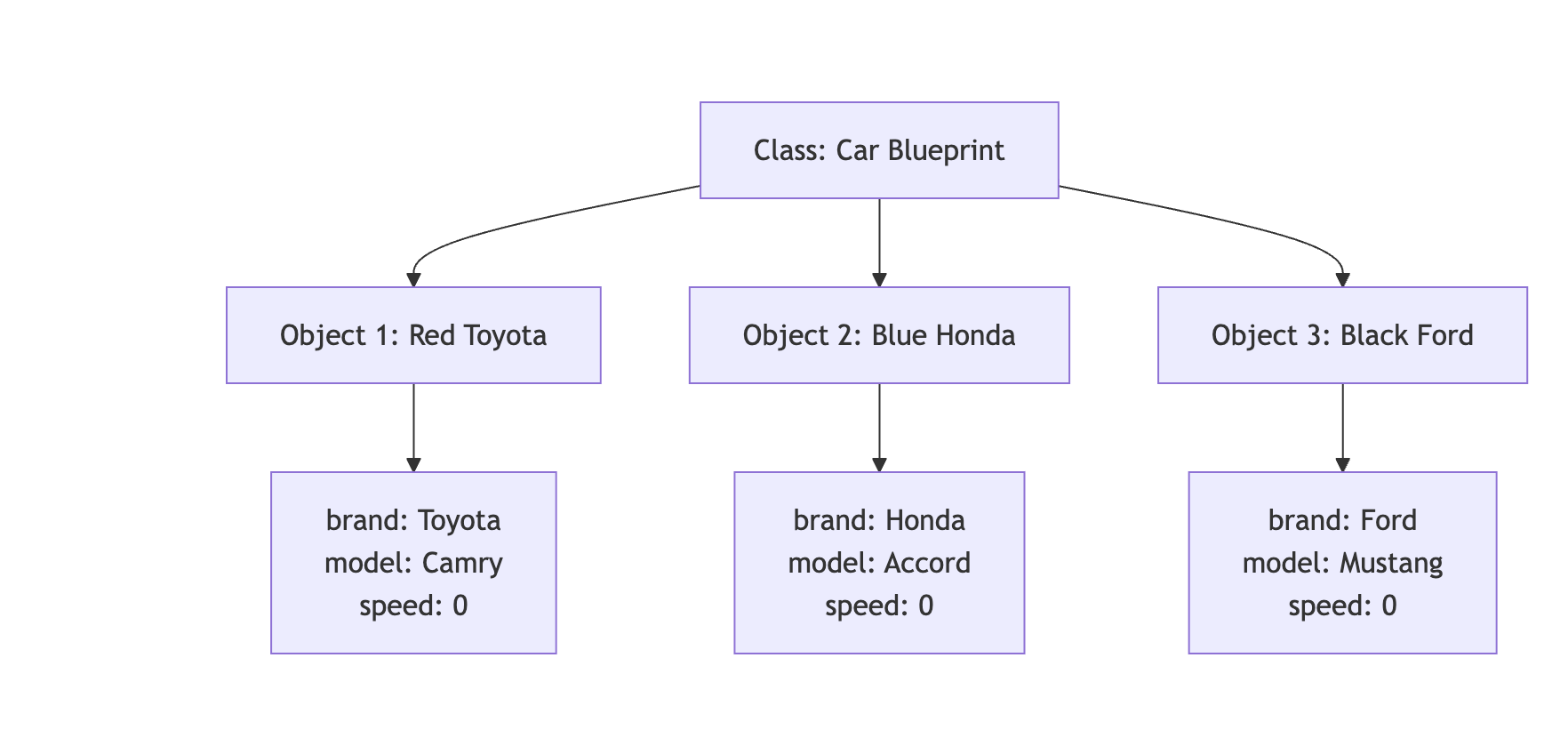
- Class (Car): The blueprint/design document
- Objects: Actual cars manufactured from that blueprint
- Object 1: A red Toyota Camry 2023
- Object 2: A blue Honda Accord 2024
- Object 3: A black Ford Mustang 2022
Each object has its own set of attribute values but shares the same structure and behaviors defined by the class.
Car myCar;      // Object 1
Car yourCar;    // Object 2
Car rentalCar;  // Object 3
3. Class Members: Attributes and Member Functions
3.1 Attributes (Data Members)
Attributes are variables that hold the state or properties of an object. They represent the characteristics of the object.
Examples:
- For a
Carclass:brand,model,year,speed,fuelLevel - For a
Studentclass:name,rollNumber,grade,age - For a
BankAccountclass:accountNumber,balance,accountHolder
3.2 Member Functions (Methods)
Member functions are functions defined inside a class that operate on the object’s data. They represent the behaviors or actions an object can perform.
Types of Member Functions:
-
Functions that modify object state
void accelerate() { speed += 10; } -
Functions that retrieve information
double getSpeed() { return speed; } -
Functions that perform operations
void displayInfo() {
    cout << brand << " " << model << endl;
}
Complete Example
class BankAccount {
    // Attributes
    string accountHolder;
    long accountNumber;
    double balance;

    // Member Functions
    void deposit(double amount) {
        balance += amount;
        cout << "Deposited: $" << amount << endl;
    }

    void withdraw(double amount) {
        if (balance >= amount) {
            balance -= amount;
            cout << "Withdrawn: $" << amount << endl;
        }
    }

    double getBalance() {
        return balance;
    }
};
4. Access Specifiers
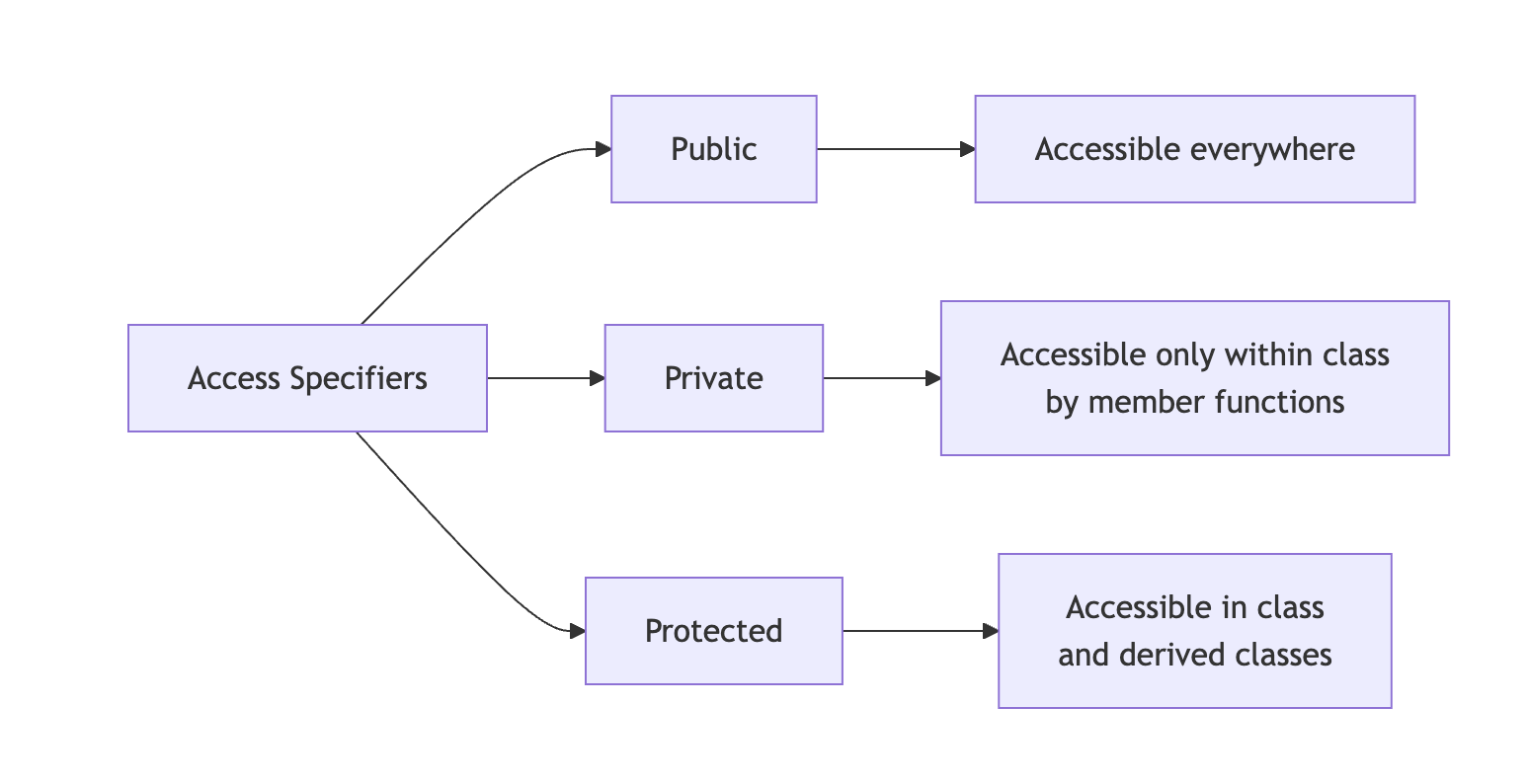
Access specifiers control the accessibility of class members from outside the class. C++ provides three access specifiers:
4.1 Public
Members declared as public are accessible from anywhere in the program.
class Car {
public:
    string brand;  // Can be accessed from anywhere

    void startEngine() {  // Can be called from anywhere
        cout << "Engine started!" << endl;
    }
};
Usage:
Car myCar;
myCar.brand = "Toyota";      // ✓ Allowed
myCar.startEngine();         // ✓ Allowed
4.2 Private
Members declared as private are only accessible within the class itself. This is the default access level in C++.
Key Points:
- Private data members cannot be accessed directly from outside the class
- Private data members can be accessed by member functions within the same class
- Member functions can read, modify, and manipulate private data members
class BankAccount {
private:
    double balance;  // Cannot be accessed directly from outside

    void updateLog() {  // Cannot be called from outside
        // Internal logging function
    }

public:
    void deposit(double amount) {
        balance += amount;  // ✓ Member function CAN access private data
        updateLog();        // ✓ Member function CAN call private function
    }

    double getBalance() {
        return balance;     // ✓ Member function CAN access private data
    }

    void showDetails() {
        cout << "Balance: $" << balance << endl;  // ✓ Accessing private member
        updateLog();                               // ✓ Calling private function
    }
};
Usage:
BankAccount account;
account.balance = 1000;      // ✗ Error: balance is private, cannot access from outside
account.updateLog();         // ✗ Error: updateLog is private, cannot call from outside
account.deposit(1000);       // ✓ Allowed: deposit is public
account.getBalance();        // ✓ Allowed: getBalance is public (internally accesses private balance)
Summary:
- Private members are hidden from outside the class
- Private members are accessible to all member functions inside the class
- This provides data encapsulation and security
4.3 Protected
Members declared as protected are accessible within the class and by derived (child) classes.
class Vehicle {
protected:
    int speed;  // Accessible in Vehicle and its derived classes

public:
    void setSpeed(int s) {
        speed = s;
    }
};
Note: Protected access specifier is primarily used in inheritance and will be discussed in detail in the Inheritance section.
4.4 Access Specifier Comparison
4.5 When to Use Which Access Specifier
| Access Specifier | When to Use | Example Use Cases | Benefits |
|---|---|---|---|
| Public | For interfaces that need to be accessed from anywhere | • Getter/Setter methods • Public utility functions • Methods that define class behavior | • Easy access • Clear interface • User-friendly |
| Private | For internal implementation details that should be hidden | • Data members (variables) • Helper/utility functions • Internal calculations • Sensitive data | • Data protection • Encapsulation • Security • Prevents accidental modification |
| Protected | For members that should be accessible to derived classes | • Attributes shared with child classes • Functions used by inheritance hierarchy | • Supports inheritance • Controlled access in hierarchy • Flexibility for derived classes |
Best Practice Example:
class Student {
private:
    // Private: Internal data that should be protected
    string name;
    int rollNumber;
    float marks;
    int age;

    // Private: Internal helper function
    bool validateMarks(float m) {
        return (m >= 0 && m <= 100);
    }

protected:
    // Protected: For use in derived classes (e.g., GraduateStudent)
    string department;

public:
    // Public: Interface for outside world to interact with the class
    void setName(string n) {
        name = n;
    }

    string getName() {
        return name;
    }

    void setMarks(float m) {
        if (validateMarks(m)) {  // Using private helper function
            marks = m;
        }
    }

    float getMarks() {
        return marks;
    }

    void displayInfo() {
        cout << "Name: " << name << ", Roll: " << rollNumber
             << ", Marks: " << marks << endl;
    }
};
Decision Guide:
- Start with private - Make everything private by default
- Expose what’s needed - Make only necessary methods public
- Use protected for inheritance - When planning class hierarchies
- Never expose data directly - Use getter/setter methods instead
5. Creating Objects of a Class
There are multiple ways to create objects in C++. Here are the various approaches:
5.1 Static Allocation (Stack)
Objects are created on the stack and automatically destroyed when they go out of scope.
// Syntax: ClassName objectName;
Car myCar;              // Object created on stack
Student student1;       // Another object
BankAccount account;    // One more object
Characteristics:
- Memory allocated on the stack
- Automatic destruction when scope ends
- Faster allocation
- Limited by stack size
5.2 Dynamic Allocation (Heap)
Objects are created on the heap using the new keyword and must be manually deleted.
// Syntax: ClassName* objectName = new ClassName;
Car* carPtr = new Car;           // Object created on heap
Student* studentPtr = new Student;

// Using the object
carPtr->startEngine();

// Must manually delete to free memory
delete carPtr;
delete studentPtr;
Characteristics:
- Memory allocated on the heap
- Manual memory management required
- Slower allocation than stack
- Can allocate larger objects
- Persists until explicitly deleted
5.3 Array of Objects
You can create multiple objects using arrays.
Static Array:
// Array of objects on stack
Car cars[5];            // Creates 5 Car objects
cars[0].startEngine();
cars[1].accelerate();
Dynamic Array:
// Array of objects on heap
Car* carArray = new Car[10];  // Creates 10 Car objects
carArray[0].startEngine();

// Must delete the array
delete[] carArray;
5.4 Creating Objects with Different Access
class Example {
private:
    int privateData;

public:
    int publicData;

    void display() {
        cout << "Example object created!" << endl;
    }
};

// Creating and using objects
Example obj1;                    // Stack allocation
obj1.publicData = 100;           // Accessing public member
obj1.display();                  // Calling public method
// obj1.privateData = 50;        // ✗ Error: Cannot access private member

Example* obj2 = new Example;     // Heap allocation
obj2->publicData = 200;
obj2->display();
delete obj2;
5.5 Comparison: Stack vs Heap Allocation

Complete Example: Different Ways to Create Objects
#include <iostream>
using namespace std;

class Rectangle {
private:
    double length;
    double width;

public:
    void setDimensions(double l, double w) {
        length = l;
        width = w;
    }

    double getArea() {
        return length * width;
    }

    void display() {
        cout << "Rectangle: " << length << " x " << width
             << " = " << getArea() << " sq units" << endl;
    }
};

int main() {
    // Method 1: Stack allocation
    Rectangle rect1;
    rect1.setDimensions(5.0, 3.0);
    rect1.display();

    // Method 2: Heap allocation
    Rectangle* rect2 = new Rectangle;
    rect2->setDimensions(4.0, 6.0);
    rect2->display();
    delete rect2;  // Don't forget to delete!

    // Method 3: Array of objects
    Rectangle rooms[3];
    rooms[0].setDimensions(10.0, 12.0);
    rooms[1].setDimensions(8.0, 10.0);
    rooms[2].setDimensions(6.0, 8.0);

    for (int i = 0; i < 3; i++) {
        cout << "Room " << i + 1 << ": ";
        rooms[i].display();
    }

    return 0;
}
Summary
- Class: A blueprint that defines structure and behavior
- Object: An instance of a class with actual data
- Attributes: Variables that store object properties
- Member Functions: Functions that define object behaviors (can access private members)
- Access Specifiers: Control visibility (public, private, protected)
- Object Creation: Can be done on stack or heap, as single objects or arrays
This foundation prepares you for more advanced topics like constructors, destructors, and inheritance!